
Service Business Website Structure: The 7 Pages You Need (And What Goes on Each)
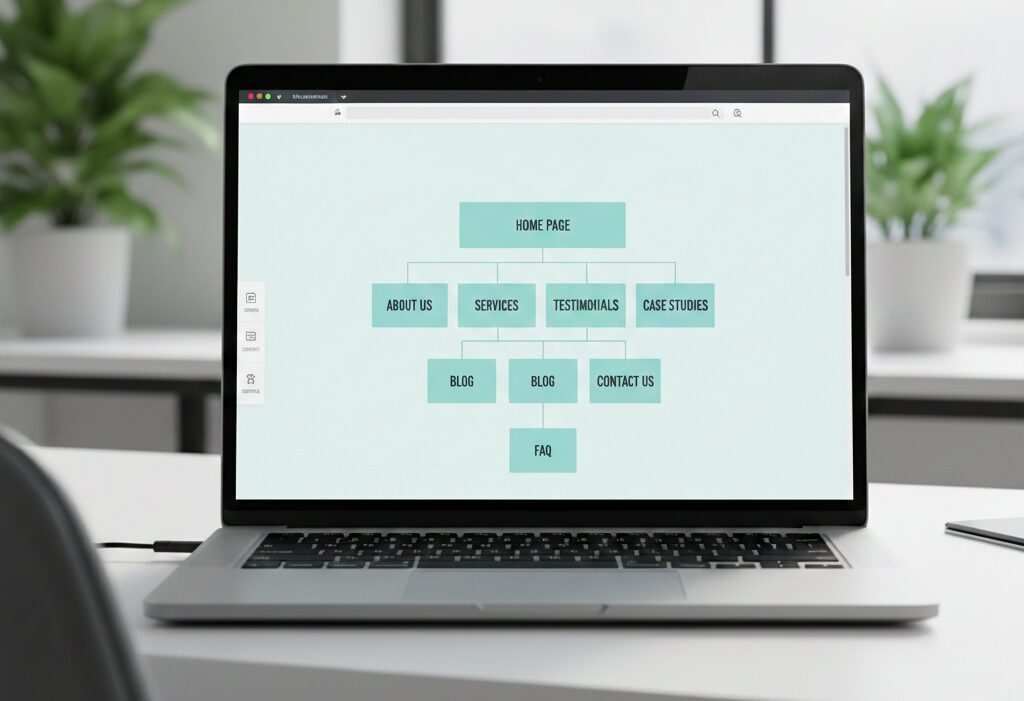
A service business website isn’t a brochure – it’s a conversion system. People land on your site with a question (“Can you do this?”, “How much?”, “Are you legit?”, “How fast can you start?”). Your site structure should answer those questions quickly and guide visitors to one next step.
The good news: you don’t need 25 pages to look credible. You need the right pages, built with the right intent.
Below are the 7 pages that cover most service businesses-design studios, contractors, consultants, agencies, local professionals – and what should go on each one.
The principle: one page = one job
Before the pages, remember the rule: every page should have a primary job.
- Home: orient + build trust + route people
- Service pages: explain + qualify + convert
- About: credibility + story + reassurance
- Contact: make action effortless
When each page has a clear job, the site feels simple-and simple converts.
1) Home page: the “routing” page
Your homepage should not be your entire website. It should be the fastest path to confidence.
Must-have blocks include: clear headline: what you do + who it’s for + where (if local), primary CTA: “Get a Quote,” “Book a Call,” “Request Consultation”, service summary with links to details (3–6 core services), proof: testimonials, ratings, certifications, years in business, process preview (3–5 steps) so people know what happens next, a trust section: guarantees, warranty, response time, insurance (if relevant) and a FAQ teaser (3–5 top questions).
Keep it skimmable. If users have to “study” your homepage, you’re losing them.
2) Services overview page: your “menu”
This page helps people self-select.
Structure:
- Short intro: who you help + how you work
- Service cards (each with: who it’s for, what’s included, starting price or “from,” link)
- Optional: industries served (if it matters)
- CTA after each section (not only at the bottom)
If you only have one service, you can skip the “overview” page and go straight to a single service detail page.
3) Service detail pages: where leads are won
If you want better SEO and higher conversion, write individual pages for your main services.
What to include: who it’s for (and who it’s not for), outcomes (what changes after they hire you), what’s included (scoped in plain language), timeline expectations, pricing approach (fixed, packages, “starting at” or quote-based), proof specific to that service (case study, testimonial, before/after), your process for that service, FAQs related to that service and CTA with low friction (“Get a Quote” + short form).
A good service page answers the quiet fear: “Will this work for my situation?”
4) About page: trust, not autobiography
The About page’s job is reassurance: you’re real, competent and safe to hire. Strong About pages include:
- A human opening (why you do this work)
- Experience framed as benefits (not just years)
- Your approach / values (what makes working with you different)
- Photos (real, not generic stock)
- Credentials (licenses, certifications, affiliations)
- A small personal detail that humanizes you (optional, but powerful)
- CTA (“Book a Call” or “Request a Quote”)
If you want a style guide for scannable web writing (headings, short paragraphs, plain language), it’s worth linking once to Nielsen Norman Group’s guidance on writing for the web.
5) Work / Portfolio / Case Studies: proof that reduces risk
People hire service providers to reduce risk. Case studies do that better than any claim.
If you can, prefer case studies over random galleries.
A custom case study template generally comprises: the client situation (problem in 2–3 lines), your solution (what you did), the outcome (numbers if possible, or concrete wins), timeline and scope, testimonial quote (even a short one).
For local businesses, “Before / After” photos and short stories work very well.
6) Pricing page (or “How Pricing Works”): filter and qualify
Not every service business needs a pricing page, but most benefit from a pricing explainer.
Options:
- “Starting at” packages (good for standardized services)
- Ranges + what affects cost (good for custom work)
- “How pricing works” page (good if you can’t publish numbers)
Try to include minimum project size (if you have one), what’s included vs add-ons, typical timelines per tier, payment terms (deposit, milestones), CTA to request a quote
Pricing pages reduce low-quality inquiries and build trust with serious buyers.
7) Contact page: frictionless action
Your Contact page should remove every obstacle between “I’m interested” and “I contacted you.”
Must-have: short form (name, email/phone, message, service interest), clear response time (e.g., “Replies within 1 business day”), click-to-call and email links, service area (if local), address (if you have one) or “by appointment only” and simple next steps (“After you submit, we’ll…”).
Make sure to avoid long forms that feel like homework.
Navigation, Optional Pages and a 60-Second Structure Test
Navigation should support the structure, not compete with it. Keep your main menu simple and predictable, focused on the pages most visitors expect: Home, Services, Work (or Case Studies), About and Contact. Everything else can live in the footer, where it’s still accessible without cluttering the primary path. That’s typically where Privacy Policy and Terms go, along with an FAQ page (if you have one), Locations or Service Areas (if you serve multiple regions), and your Blog. When visitors can predict where things are, they relax – and relaxed users convert.
Optional pages can help, but they’re not required at launch. Add them only when you have real content and a clear purpose for each one. An FAQ page is useful if the same questions come up in sales calls. Locations or Service Areas make sense if you genuinely serve multiple cities or regions. Industry pages can work if you specialize strongly and can speak to that audience with specifics. A blog is valuable for SEO and authority, but only when you can publish consistently and keep articles up to date. Start lean, then expand your site architecture when there’s a reason – data, demand, or a specific growth goal.
Before you publish, run a quick structure test that takes less than a minute. Ask a friend to open the website and answer three questions without clicking around too much: what does this business do, who is it for, and what should I do next? If they hesitate or guess wrong, the solution usually isn’t adding more pages – it’s tightening the structure, clarifying the headlines and simplifying the path to the main call to action.
So, the bottom line is: Launch lean, make sure Google can crawl the site and leads can contact you, then improve weekly based on real user behavior – not guesses.